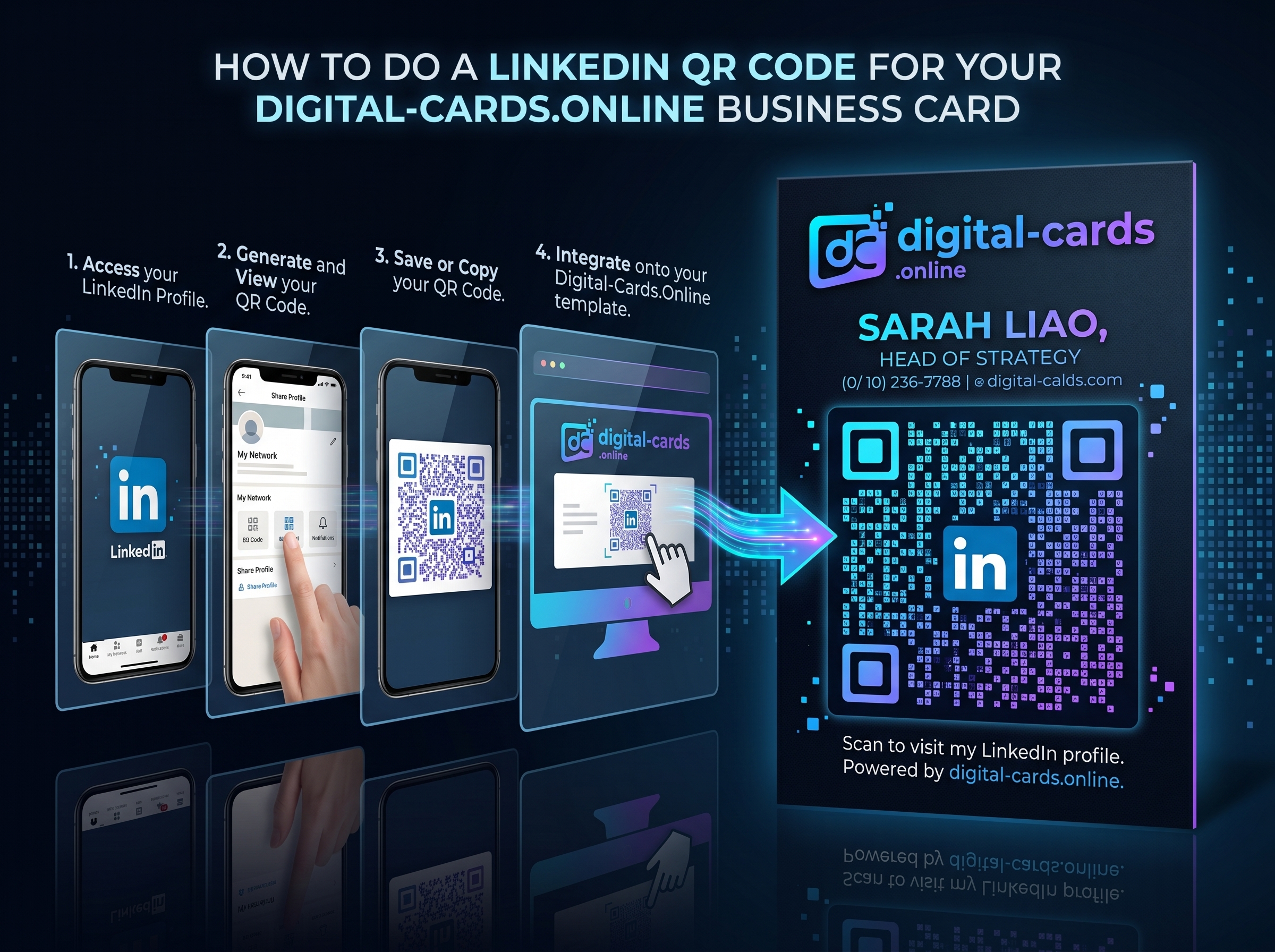
Printing a raw LinkedIn URL on a networking card forces prospects to type complex text strings, instantly killing your conversion rate. The optimal solution is embedding a scannable QR code that routes directly to your professional profile. However, our field testing reveals that using the native LinkedIn generator traps users in a closed ecosystem without lead capture capabilities. The most effective strategy integrates your professional timeline into a centralized vCard infrastructure. Here is exactly how to extract your code and deploy it for maximum networking ROI
Key Takeaways
- Native LinkedIn codes offer zero tracking analytics and only route to one specific destination.
- You can extract your native profile code directly from the search bar within the iOS or Android mobile app.
- Integrating your LinkedIn URL into a smart vCard via Digital-Cards.online allows prospects to save your entire contact profile simultaneously
What is a LinkedIn QR Code?
A LinkedIn QR code is a scannable matrix barcode that directly links a smartphone camera to your specific professional profile on the LinkedIn platform. Scanning it bypasses the need to manually search for your name, guaranteeing the prospect connects with the correct account immediately.
How to Get Your Native LinkedIn QR Code
Extracting your native code takes less than a minute. You must use the mobile application, as the desktop browser version of LinkedIn does not currently support native code generation.
- Open the App: Launch the LinkedIn application on your iOS or Android device and ensure you are logged in.
- Locate the Search Bar: Tap on the main search bar at the top of your home feed. Do not type anything.
- Tap the QR Icon: Click the small, square QR code icon located on the far right side of the search bar.
- Select 'My Code': The screen will split into a scanner and a generator. Tap the "My Code" tab to reveal your personal matrix.
- Save the Asset: Tap "Save to gallery" to download the image as a PNG file, which you can now send to a printer or graphic designer.
The Flaw with Native LinkedIn Codes
While the native app method is fast, our networking analysis shows a severe limitation: it only performs one function. When a prospect scans a native code, they are taken to your timeline, but your phone number, email address, and company website remain disconnected from their native device contacts. To capture the lead effectively, you must utilize a centralized digital hub.
How to Do a LinkedIn QR Code for a Smart vCard
Instead of printing a direct LinkedIn code, top-performing sales professionals generate a single, dynamic vCard code that houses all their links. This ensures the prospect can choose how they want to connect
- Create a Centralized Hub: Register a free profile on a dedicated platform like Digital-Cards.online.
- Input All Data: Add your direct phone line, email, company website, and your standard LinkedIn URL into the dashboard.
- Generate a Master Code: The platform will generate one dynamic QR code.
- Distribute: When scanned, this single code prompts the user to download a complete VCF file to their phone, while simultaneously offering one-tap access to your LinkedIn profile.
Comparing QR Code Networking Strategies
Evaluating how you route your traffic dictates your post-event conversion rate. Deploying a dedicated platform vastly outperforms raw social media links.
Frequently Asked Questions
Does my LinkedIn QR code expire?
If you are using the native LinkedIn generator, the code does not expire based on time. However, if you change your custom public profile URL in your account settings, any previously printed QR codes will break and result in a 404 error.
Can I put a LinkedIn QR code on my resume?
Yes, embedding a scannable code on a printed resume or CV is highly recommended. It allows hiring managers and recruiters to instantly access your full professional history and portfolio without manually typing URLs.
How do I customize the design of my LinkedIn QR code?
The native app does not allow design customization; it only outputs a standard black-and-white matrix with the platform's logo. To add your own company logo or brand colors, you must use a third-party digital business card generator.
Will the code work if the scanner doesn't have the LinkedIn app?
Yes. If the prospect does not have the native mobile application installed, their smartphone camera will automatically route them to your public profile via their default web browser, such as Safari or Google Chrome.