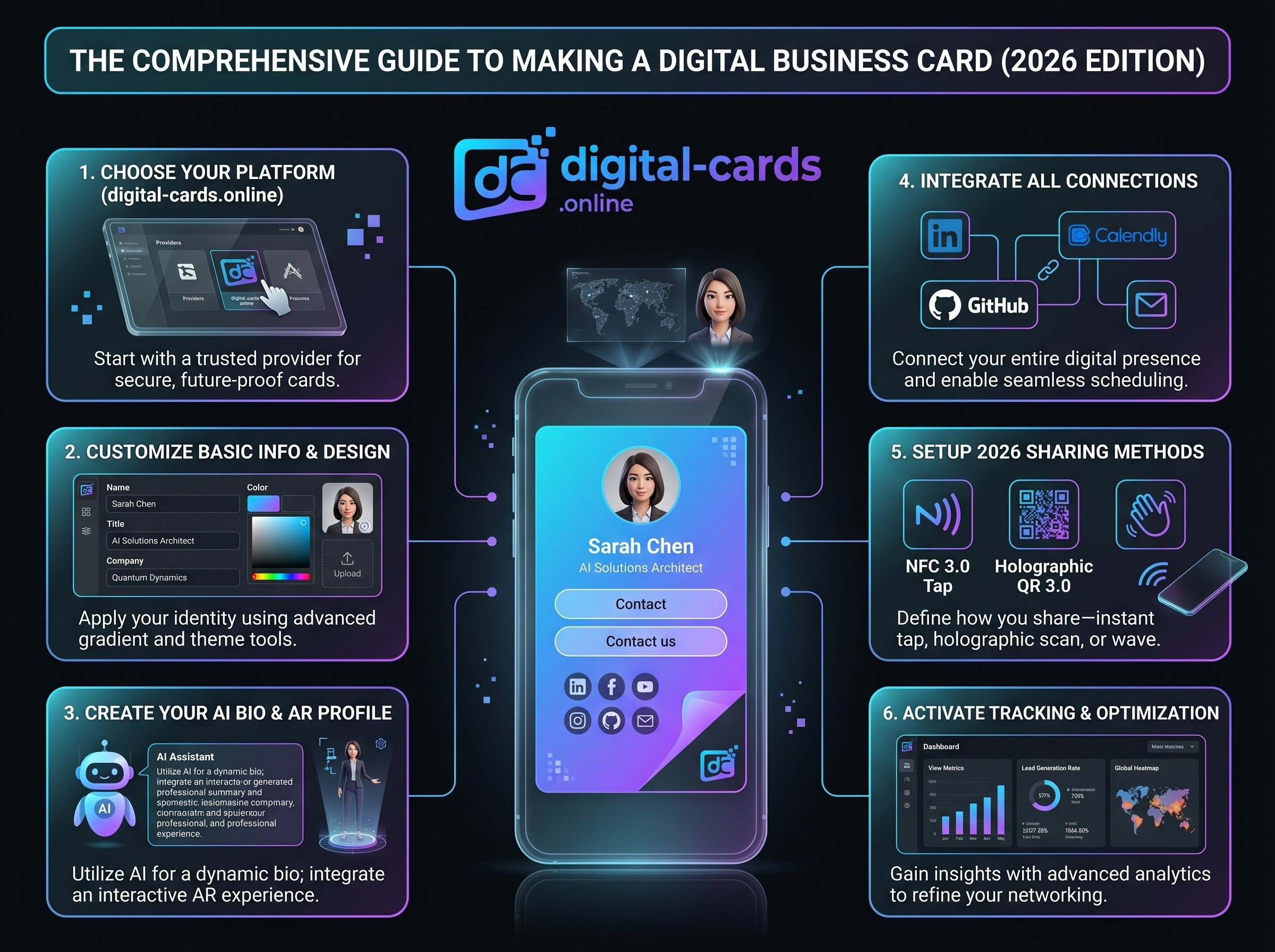
Stop wasting money on paper. Learn how to make a digital business card that syncs contacts instantly and tracks leads. Start building your vCard now.
Key Takeaways
- Building a smart profile requires zero coding when utilizing SaaS builders like Digital-Cards.online.
- Integrating native VCF protocols ensures your prospects can save your data with a single tap.
- Dynamic QR code deployment allows you to edit contact details instantly without re-issuing your networking links.
What Assets Are Required to Make a Digital Business Card?
Before launching your profile, gather your essential branding assets. You will need a high-resolution professional headshot, a transparent company logo (PNG format), and your primary conversion links, such as your LinkedIn URL and a direct scheduling link via Calendly or HubSpot.
Step-by-Step Guide: How to Make a Digital Business Card
Executing the setup process efficiently requires utilizing a dedicated software builder rather than attempting custom web development. Our onboarding analysis shows that following a strict sequence prevents layout errors and guarantees mobile responsiveness.
- Create an Account: Register on a specialized networking hub like Digital-Cards.online to bypass technical server setup and manual coding.
- Select a UX-Optimized Template: Choose a layout based on your specific industry. A creative agency needs visual warmth, while enterprise B2B requires a minimalist, data-first structure.
- Input and Verify Data: Enter your exact title, phone number, and email. Typographical errors here will permanently break your lead routing capabilities.
- Activate "Click-to-Call": Enable interactive elements within the dashboard. Prospects should tap your phone number to automatically launch their native dialer application.
- Publish and Test: Generate your dynamic QR code. Scan it utilizing both Apple Wallet and Android environments to confirm the VCF download triggers correctly on both operating systems.
Comparing Setup Methods: Builders vs. Custom Solutions
Professionals often debate whether to use a dedicated platform or build a custom webpage. Our infrastructure testing reveals that specialized platforms drastically reduce maintenance overhead while natively supporting critical networking protocols.
Frequently Asked Questions
How much does it cost to make a digital business card?
You can deploy a basic profile for free using standard platform tiers. Enterprise users requiring custom domains, deeper CRM integration, and expanded storage typically pay between €3 and €10 monthly.
Can I make a digital business card on my phone?
Yes, modern cloud-based generators feature fully responsive dashboards. You can upload image assets, edit text fields, and generate your QR code entirely via your mobile web browser.
How do I attach my digital card to an email?
You can hyperlink your unique profile URL directly to a text anchor within your email signature. Alternatively, you can embed your generated QR code image alongside your sign-off for easy desktop-to-mobile scanning.
Will my digital business card work if I change jobs?
Yes, because the profile is dynamic, you retain full ownership of the routing link. You simply log into your dashboard, update your company logo and email address, and the existing link instantly reflects the new data.